
The break reminder app that shows you the stretch
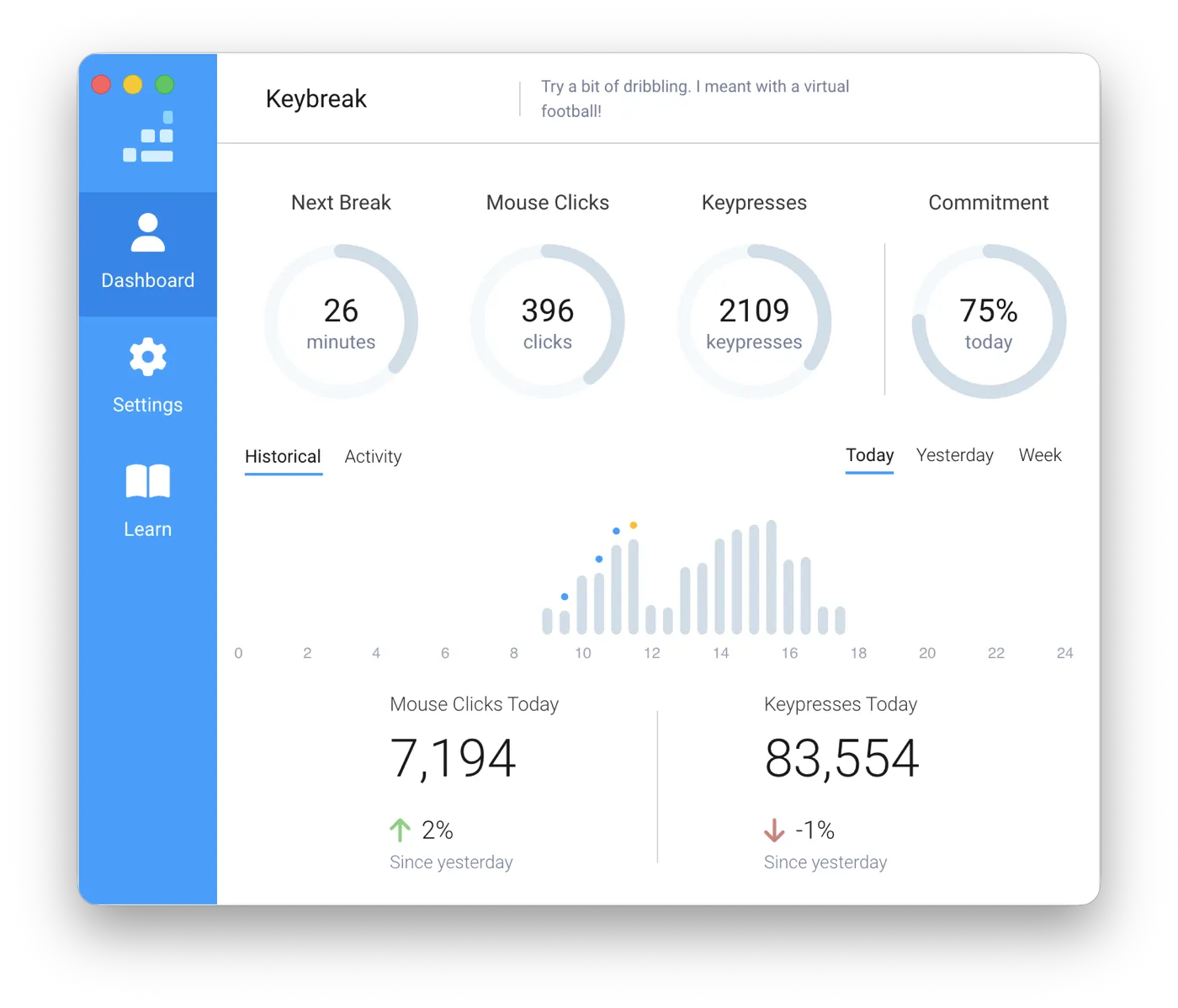
Keybreak is a break reminder app for macOS and Windows. It sits quietly in your menu bar or system tray, notices when you have actually been typing and clicking, and prompts you to move only after a genuine stretch of work. Each break is a short desk stretch with a real person demonstrating on screen, chosen from a library of 37 movements for the neck, shoulders, back and wrists.
Who is Keybreak for?
Keybreak is built for anyone who spends long hours at a keyboard: developers, designers, writers, researchers, students, and desk workers of all kinds. When you get absorbed in complex work, it is easy to sit motionless for hours without noticing, until your neck, shoulders, or back start to ache.
Keybreak is free to download with 8 core guided stretches and smart break reminders that only count when you are actively working. For broader routines, Keybreak Plus unlocks the full library of 37 exercises, custom focus areas, injury exclusions, and micro breaks for £1.99 a month or £19.99 a year. Everything runs locally on your computer, and your activity data never leaves it.
Reminders that know when you are working
Some break reminder apps use a basic timer that fires every 30 minutes or so, whether you are in deep focus, on a call, or already out making tea. When notifications interrupt you at the wrong moment, dismissing them becomes an automatic habit, and the benefit is lost.
Keybreak counts active typing and mouse movement instead of wall-clock minutes. Step away from your computer, and the countdown pauses automatically; return, and it picks up right where you left off. A reminder only arrives when you have genuinely put in a continuous stretch of desk time, which is the moment your body actually needs a reset.
What a break actually looks like
When a break begins, Keybreak shows you exactly what to do. A real person demonstrates each movement on screen, showing you which side to stretch and timing the hold so you do not have to count seconds in your head. Most routines take under three minutes.
Every stretch is designed specifically for everyday desk setups: seated or standing, quiet, and discreet enough to do in an open-plan office without attracting attention. If you prefer to skip the exercises, a reminders-only mode simply nudges you to stand up and move.
Built around your body, not a generic routine
Desk fatigue affects everyone differently. Whether you carry tension in your neck and shoulders, get wrist fatigue from typing, or need lower back relief, you can choose focus areas so relevant stretches appear more often.
If you have movements you need to avoid, you can exclude them so Keybreak never suggests them. You also control the rhythm: breaks every 20 minutes or every hour, restricted to your working hours, or triggered on demand whenever you need one.
Private by design, running on your computer
To tell working time from idle time, Keybreak only checks that typing or mouse activity is taking place. It never logs keystrokes, never reads what you type, and never monitors which apps you use.
All activity data stays strictly on your computer. There is no account to create, no tracking, and no cloud telemetry.
Keybreak is free to use with 8 core stretches. Keybreak Plus unlocks the full library of 37 guided exercises, focus areas, injury exclusions and micro breaks. See plans and pricing.
What Keybreak does differently
Most break timers stop at telling you to step away from your desk. Keybreak focuses on what happens next: guided movement you can follow without leaving your workspace. Here is how Keybreak compares with popular alternatives:
| App | What happens in a break | Filmed demonstrations | Focus areas | Injury exclusions | Free plan | Platforms |
|---|---|---|---|---|---|---|
| Keybreak | 37 stretches, each filmed with a real person, with the hold timed on screen. source | Yes | Yes (Keybreak Plus) | Yes (Keybreak Plus): movements you flag are never suggested. source | Free for personal use: break reminders and 8 of the 37 stretches, no account. source | macOS (Apple Silicon and Intel), Windows source |
| Stretchly | 87 one-line text break ideas, many naming a movement and a hold time. No video or illustrations by default. source | No | No | No | Everything. Free and open source (BSD-2-Clause). source | macOS (13 or later), Windows, Linux source |
| Workrave | 16 exercises, shown with drawn illustrations. source | No | No | No | Everything. Free software (GPL). source | Windows, Linux. macOS only as an untested development build. source |
| Time Out | None. The screen dims and a break theme appears (text, images, a web page or a video). source | No | No | No | The core break features, always free. source | macOS only. Also on the Mac App Store and Setapp. source |
| Restier | Visual resets, breathing prompts and posture cues. No filmed demonstrations. source | No | No | No | None. A 14-day trial with every feature, no card required. source | macOS 11+, Windows 10+, Linux (x86_64) source |
| BreakTimer | None built in. A notification or a fullscreen break window, with a message you can customise. source | No | No | No | Everything. Free and open source (GPL-3.0). source | Windows, macOS, Linux source |
Verified against each app’s own documentation on 7 October 2026.
Compared with Stretchly
Stretchly is a popular open-source timer whose breaks show one-line text suggestions. Keybreak demonstrates each movement on video with 37 guided stretches, hold countdowns, and injury exclusions. source
Compared with Workrave
Workrave is a strict, long-standing tool with 16 illustrated drawings, primarily for Windows and Linux. Keybreak is a modern, native app for macOS and Windows, with filmed human video demonstrations and flexible scheduling. source source
Compared with Time Out
Time Out is a dedicated Mac timer that dims your screen for rest breaks. Keybreak runs on both Mac and Windows, and guides you through active desk stretches instead of just a static pause. source
Unlike basic countdown timers, Keybreak adapts to your body, letting you exclude movements you want to avoid and focus directly on your most fatigue-prone areas.
More detailed comparisons:
Keybreak at a glance
- Native, lightweight app for macOS (Apple Silicon and Intel) and Windows.
- Library of 37 guided desk stretches, filmed with real people and timed on screen.
- Free plan includes activity-aware reminders and 8 core stretches.
- Keybreak Plus unlocks all 37 stretches, focus areas, injury exclusions and micro breaks for £1.99/mo or £19.99/yr.
- One-month free trial included with the monthly plan.
- Measures real keyboard and mouse activity, pausing automatically when you step away.
- Injury-aware settings ensure movements you flag are never suggested.
- Focus areas prioritise stretches for your neck, shoulders, back or wrists.
- 100% private: activity data stays on your machine and is never uploaded.
- No account, login or cloud connection required.
- Use your Keybreak Plus licence on up to 3 personal computers.
- Built for desk workers, developers, designers, and anyone spending long hours at a screen.
Frequently asked questions
What is a break reminder app?
A break reminder app runs quietly in the background while you work and prompts you to take regular breaks, helping you avoid stiffness, fatigue and repetitive strain. While most apps are plain countdown timers, Keybreak pairs activity-aware timing with short, video-guided desk stretches.
Does Keybreak work on both Mac and Windows?
Yes. Keybreak is natively built for macOS (Apple Silicon and Intel) and Windows. A single Keybreak Plus licence can be active on up to 3 of your computers at once, on either operating system.
Is Keybreak free?
Yes. The free tier includes activity-aware break reminders and 8 guided stretches on both Mac and Windows. Keybreak Plus unlocks all 37 stretches, focus areas, injury exclusions, micro breaks and daily progress tracking. Monthly plans start with a one-month free trial.
How is this different from the Pomodoro technique?
Pomodoro is designed for focus and productivity: you work in fixed 25-minute sprints regardless of whether you are actively typing. Keybreak focuses on your physical wellbeing at your desk. It measures actual keyboard and mouse time, and turns each break into a short guided movement instead of unstructured downtime.
What is the 20-20-20 rule, and does Keybreak support it?
The 20-20-20 rule is an optometrist guideline for eye strain: every 20 minutes, look at an object 20 feet away for 20 seconds. You can set Keybreak to a 20-minute interval, or use Keybreak Plus micro breaks (every 10 to 15 minutes) to rest your eyes and reset your posture throughout the day.
Will it interrupt me during meetings or presentations?
Keybreak only counts time when you are actively typing or clicking. During video calls or presentations where you are listening, the timer remains paused. You can also customize your working hours and snooze or postpone any break with a single click.
Does Keybreak record what I type?
Never. Keybreak only detects that keystroke or click activity is occurring to differentiate working from idle time. It never records which keys are pressed, never inspects your content, and never transmits data to any external server.