Break reminder app for Mac and Windows
Keybreak is a break reminder app for macOS and Windows. It sits in your menu bar or system tray, watches how long you have actually been typing and clicking, and prompts you to take a break when you have been at it a while — not on a fixed timer that fires while you are away at lunch. Each break is a guided stretch you can do at your desk in under three minutes, chosen from a library of 37, targeting the neck, shoulders, back and wrists that suffer most from desk work.
It is built for people who spend whole days at a keyboard: developers, designers, writers, analysts, students and anyone whose job is mostly screen. Keybreak is free to download and free to keep using, with 8 stretches and the full reminder engine. Plus unlocks the whole library and the personalisation. Everything runs on your own computer — your activity data never leaves it.
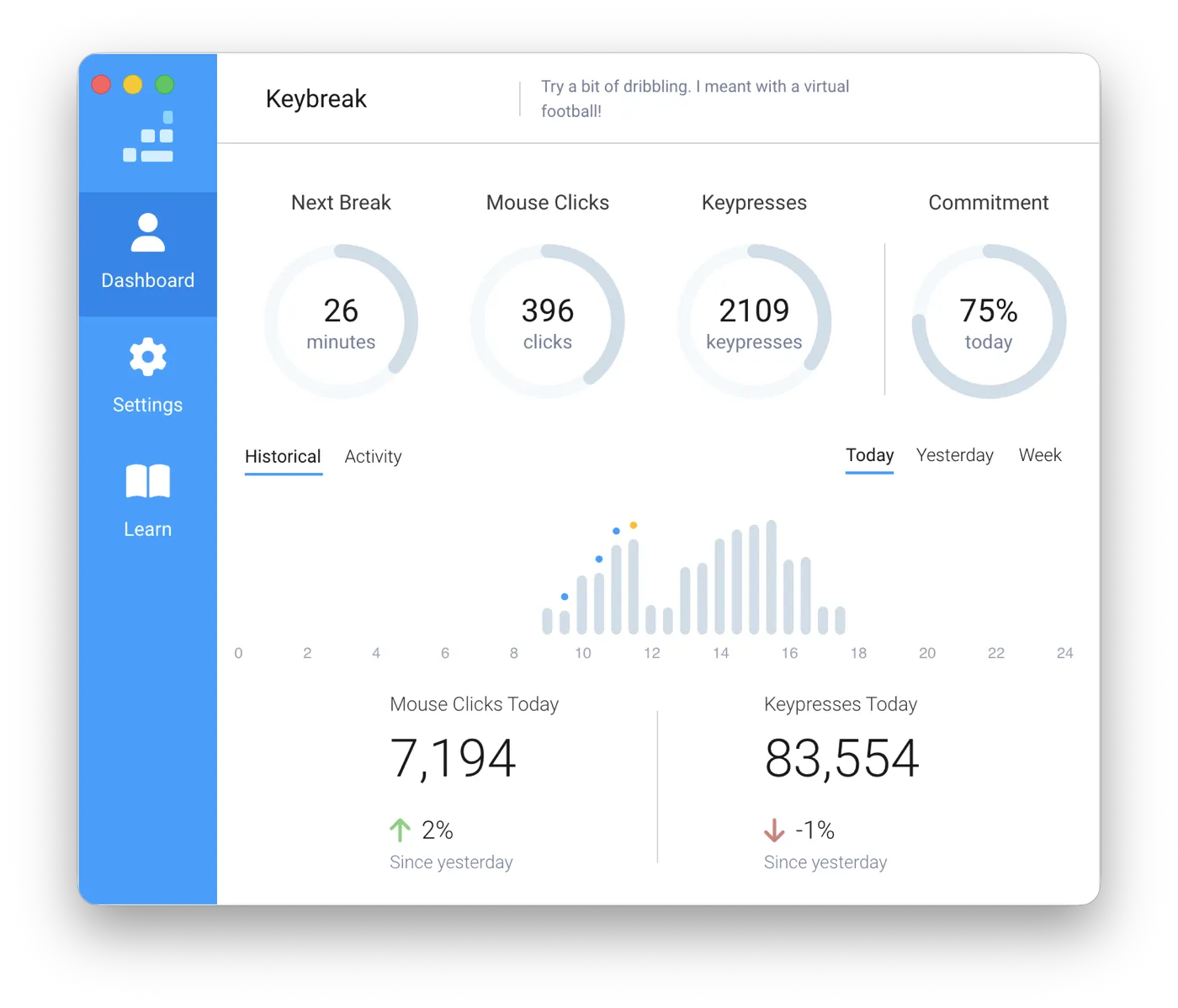
Reminders that know when you are working
Most break reminders are just timers. They fire every 30 minutes whether you are deep in work, on a call, or out getting lunch — so you learn to dismiss them, and dismissing them becomes the habit.
Keybreak counts activity instead of minutes. If you step away, the countdown pauses; when you come back, it picks up where it left off. A reminder only arrives when you have genuinely put in a stretch of desk time, which is the only time it is worth interrupting you.
What a break actually looks like
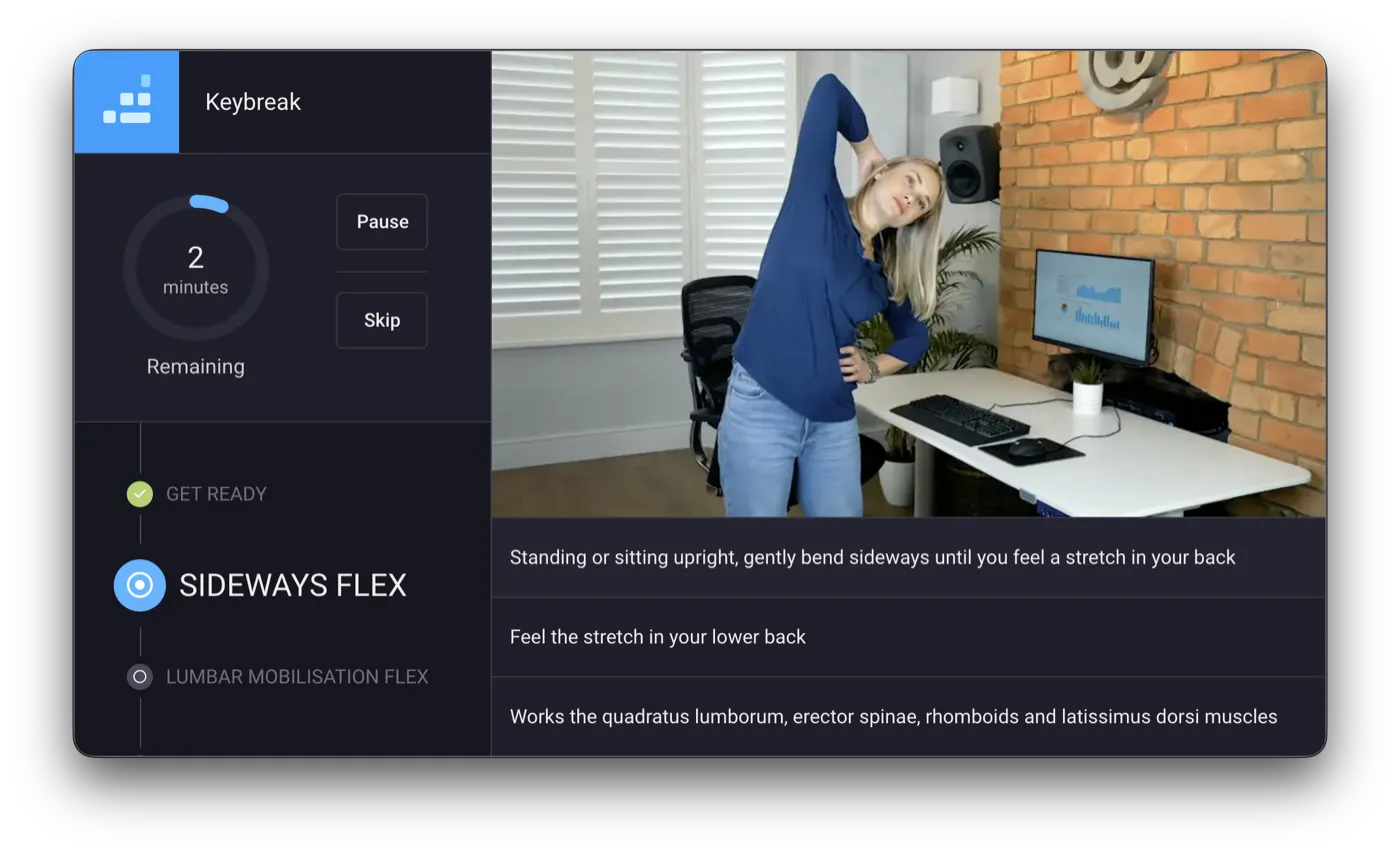
When a break starts, Keybreak walks you through a stretch: what to do, which side, and how long to hold it, with the hold timed on screen so you are not counting in your head. Most take well under three minutes.
Nothing in the library requires a mat, a change of clothes, or lying on the office floor. They are designed to be done at a desk, in an open-plan office, without attracting attention. If you would rather skip the guided exercises entirely, reminders-only mode just nudges you to stand up and move.
Built around your body, not a generic routine
Tell Keybreak where you carry tension — neck, shoulders, lower back, wrists — and those stretches come up more often. If an old injury or a medical condition makes certain movements a bad idea, you can exclude them and they will never be suggested again.
You also set the rhythm: a break every 20 minutes or every hour, within the hours you choose, or triggered by hand when you are ready for one.
Private by default
Keybreak needs to know whether you are active to do its job, so it counts keyboard and mouse activity. That data stays on your machine. There is no account to create, and your activity is never uploaded to a server.
Keybreak is free to download and free to keep, with smart reminders and 8 stretches. Plus adds the full library of 37 stretches, focus areas, injury-aware settings and micro breaks — see plans and pricing.
How Keybreak is different
There are other break reminder apps, and most of them stop at the reminder. The difference is what happens once the break starts, and whether the routine is built around your body:
Stretchly
Stretchly tells you to take a break and suggests an idea for it in text, leaving you to work out what to do. Keybreak shows a real person performing a specific stretch, with the hold timed on screen, from a library of 37.
Workrave
Workrave demonstrates its exercises with a small animated figure, and its macOS build is a development version the project describes as not thoroughly tested. Keybreak is a supported native app on both Mac and Windows, and shows the movement performed by a real person at a real desk.
Time Out
Time Out is macOS only, and its breaks dim the screen and play a theme rather than telling you what to do with the time. Keybreak runs on Windows as well as macOS on one licence, and every break is a guided stretch.
None of them tailor the routine to where you actually hurt. Keybreak prioritises the areas you tell it about and drops movements an injury rules out.
Compared against each app's own documentation in August 2026.
Common questions
What is a break reminder app?
A break reminder app runs in the background while you work and prompts you to step away from the screen at intervals, to reduce the stiffness, eye strain and fatigue that build up over a long day at a desk. Some are plain timers; Keybreak also guides you through a stretch once the break starts, and only prompts you when you have actually been working.
Does Keybreak work on both Mac and Windows?
Yes. There are native builds for macOS (Apple Silicon and Intel) and for Windows, and a single Plus licence covers all of your personal computers on both platforms.
Is Keybreak free?
Yes. The free plan is free forever and includes smart break reminders and 8 stretches on both Mac and Windows. Plus adds the full library of 37 stretches, focus areas, injury-aware settings, micro breaks and progress tracking. The monthly plan starts with a one-month free trial.
How is this different from the Pomodoro technique?
Pomodoro is a focus method: you commit to a fixed 25-minute block of work and then take a break, and the timer runs whether or not you are at your desk. Keybreak is aimed at the physical side of desk work rather than at structuring your focus. It measures real activity rather than wall-clock time, and the break itself is a guided stretch instead of unstructured time off.
What is the 20-20-20 rule, and does Keybreak do it?
The 20-20-20 rule is an eye-strain guideline: every 20 minutes, look at something 20 feet away for 20 seconds. Keybreak can be set to a 20-minute break frequency, and Plus adds micro breaks every 10 to 15 minutes, which serve a similar purpose. Keybreak is aimed more broadly at the neck, shoulders, back and wrists as well as at getting your eyes off the screen.
Will it interrupt me during meetings or presentations?
You choose the hours Keybreak is active, and reminders only arrive after genuine keyboard and mouse activity, so a call you spend listening will not trigger one. Any break can also be postponed or skipped.
Does Keybreak track what I type?
No. It counts that keyboard and mouse activity is happening in order to tell working from idle. It does not record which keys you press, and none of it leaves your computer.
Keybreak · 2026