
L'app di promemoria per le pause che ti mostra l'esercizio
Keybreak è un'app di promemoria per le pause per macOS e Windows. Resta nella barra dei menu o nell'area di notifica, osserva da quanto tempo stai effettivamente digitando e cliccando e ti invita a fare una pausa quando sei alla scrivania da un po'. Ogni pausa è un esercizio guidato che puoi fare alla scrivania in meno di tre minuti, scelto da una libreria di 37, dedicati a collo, spalle, schiena e polsi.
Per chi è pensato Keybreak?
Keybreak è pensato per chiunque passi molte ore alla tastiera: sviluppatori, designer, scrittori, ricercatori, studenti e chiunque lavori seduto a una scrivania. Quando sei immerso nel lavoro, è fin troppo facile restare immobili per ore senza accorgersene, finché collo, spalle o schiena non iniziano a farsi sentire.
Keybreak si scarica gratuitamente e include 8 esercizi guidati insieme a promemoria intelligenti che scorrono solo quando stai lavorando davvero. Per una varietà ancora maggiore, Keybreak Plus sblocca l'intera libreria di 37 esercizi, aree di attenzione mirate, esclusione dei movimenti dolorosi e micropause a £1.99 al mese o £19.99 all'anno. Tutto gira in locale sul tuo computer e i dati sulla tua attività non lo lasciano mai.
Promemoria che sanno quando stai lavorando
Alcune app di promemoria per le pause usano un timer di base che scatta all'incirca ogni 30 minuti, sia che tu sia immerso nel lavoro, al telefono o fuori a pranzo: così impari a ignorarlo, e ignorarlo diventa l'abitudine.
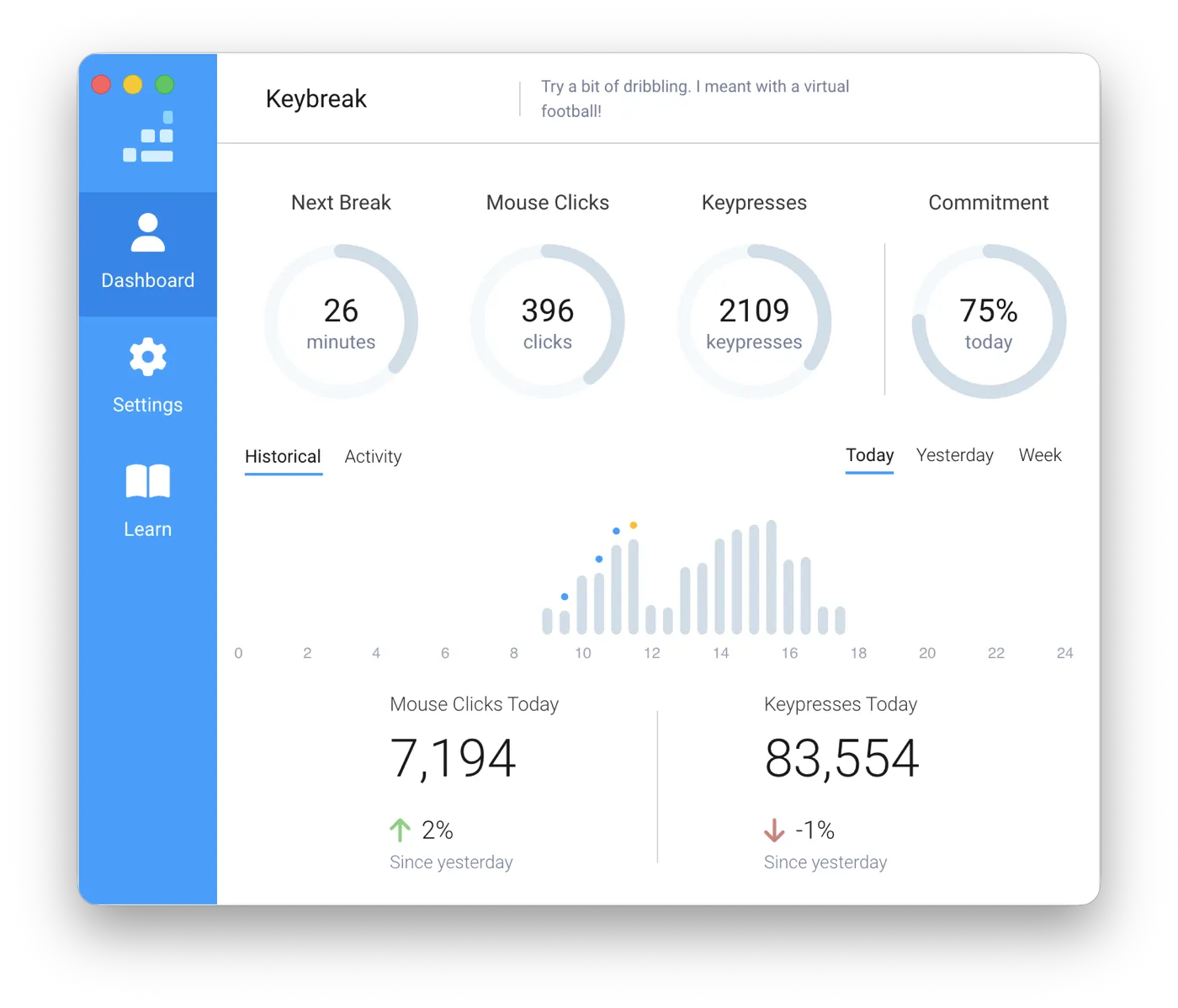
Keybreak conta l'attività, non i minuti. Se ti allontani, il conto alla rovescia si mette in pausa; quando torni, riprende da dove aveva lasciato. Un promemoria arriva solo quando hai davvero accumulato tempo alla scrivania, l'unico momento in cui vale la pena interromperti.
Com'è fatta davvero una pausa
Quando inizia una pausa, Keybreak ti guida passo per passo nell'esercizio: cosa fare, da quale lato e per quanto tempo mantenere la posizione, con la tenuta scandita a schermo così non devi contare a mente. Quasi tutti durano ben meno di tre minuti.
Nessun esercizio della libreria richiede un tappetino, un cambio d'abito o di stendersi sul pavimento dell'ufficio. Sono pensati per essere fatti alla scrivania, in un open space, senza farsi notare. Se preferisci rinunciare del tutto agli esercizi guidati, la modalità solo promemoria ti invita semplicemente ad alzarti e muoverti.
Costruito attorno al tuo corpo, non su una routine generica
Scegli le zone prioritarie (collo, spalle, parte bassa della schiena, polsi) e gli esercizi per quelle zone compariranno più spesso. Se ci sono movimenti che ti è stato detto di evitare, puoi escluderli e non ti verranno mai più proposti.
Imposti anche il ritmo: una pausa ogni 20 minuti o ogni ora, negli orari che scegli tu, oppure avviata a mano quando te la senti.
Privato per impostazione predefinita
Per fare il suo lavoro Keybreak deve sapere se sei attivo, quindi conta l'attività di tastiera e mouse. Quei dati restano sul tuo computer. Non c'è nessun account da creare e la tua attività non viene mai caricata su un server.
Keybreak Plus aggiunge la libreria completa di 37 esercizi, le zone prioritarie, le impostazioni che tengono conto degli infortuni e le micropause. Scopri piani e prezzi.
Che cosa fa Keybreak di diverso
La maggior parte dei promemoria per le pause si ferma al dirti di fare una pausa. Keybreak è costruito attorno a quello che viene dopo: un esercizio che puoi seguire, scelto per il tuo corpo. Ecco il confronto con altre cinque app, con ogni affermazione collegata alla pagina ufficiale del produttore:
| App | Cosa accade in una pausa | Dimostrazioni filmate | Zone prioritarie | Esclusioni per infortuni | Piano gratuito | Piattaforme |
|---|---|---|---|---|---|---|
| Keybreak | 37 esercizi, ognuno filmato con una persona reale, con la tenuta scandita a schermo. source | Sì | Sì (Keybreak Plus) | Sì (Keybreak Plus): i movimenti che segnali non vengono mai proposti. source | Gratis per uso personale: promemoria per le pause e 8 dei 37 esercizi, senza account. source | macOS (Apple Silicon e Intel), Windows source |
| Stretchly | 87 idee per le pause da una riga di testo, molte con il nome di un movimento e un tempo di tenuta. Nessun video o illustrazione per impostazione predefinita. source | No | No | No | Tutto. Gratuito e open source (BSD-2-Clause). source | macOS (13 o successivo), Windows, Linux source |
| Workrave | 16 esercizi, mostrati con illustrazioni disegnate. source | No | No | No | Tutto. Software libero (GPL). source | Windows, Linux. macOS solo come build di sviluppo non testata. source |
| Time Out | Nessuno. Lo schermo si oscura e compare un tema di pausa (testo, immagini, una pagina web o un video). source | No | No | No | Le funzioni principali per le pause, sempre gratuite. source | Solo macOS. Disponibile anche su Mac App Store e Setapp. source |
| Restier | Reset visivi, inviti alla respirazione e indicazioni sulla postura. Nessuna dimostrazione filmata. source | No | No | No | Nessuno. Una prova di 14 giorni con tutte le funzioni, senza carta. source | macOS 11+, Windows 10+, Linux (x86_64) source |
| BreakTimer | Nessuno incluso. Una notifica o una finestra di pausa a schermo intero, con un messaggio personalizzabile. source | No | No | No | Tutto. Gratuito e open source (GPL-3.0). source | Windows, macOS, Linux source |
Verificato sulla documentazione ufficiale di ogni app il 7 October 2026.
Confronto con Stretchly
Stretchly è un timer gratuito ben fatto, e le sue idee per le pause sono singole righe di testo che leggi e poi metti in pratica. Keybreak ti mostra invece il movimento: 37 esercizi, ognuno filmato con una persona reale, con la tenuta scandita a schermo così puoi semplicemente seguirlo. source
Confronto con Workrave
Workrave è gratuito e severo, con 16 esercizi disegnati, ma le sue versioni stabili sono solo per Windows e Linux. Keybreak è un'app nativa sia su Mac sia su Windows, e ogni esercizio è filmato invece che disegnato. source source
Confronto con Time Out
Time Out è un timer per Mac molto curato, le cui pause oscurano lo schermo e mostrano un tema. Keybreak funziona su Mac e Windows, e trasforma ogni pausa in un esercizio guidato invece che in una sosta. source
Delle sei app in tabella, Keybreak è l'unica che ti permette di escludere i movimenti che ti è stato detto di evitare e di dare priorità a zone come il collo o i polsi, così la routine si adatta a te, e non il contrario.
Confronti più dettagliati:
Keybreak in breve
- Keybreak è un'app di promemoria per le pause per macOS (Apple Silicon e Intel) e Windows.
- Keybreak ha una libreria di 37 esercizi guidati da scrivania, ognuno dimostrato in video da una persona reale con la tenuta scandita a schermo.
- Il piano gratuito di Keybreak include i promemoria per le pause basati sull'attività e 8 dei 37 esercizi.
- Keybreak Plus costa £1.99 al mese, con una prova gratuita di un mese, oppure £19.99 all'anno.
- Keybreak Plus sblocca tutti i 37 esercizi, le zone prioritarie, le esclusioni per infortuni, le micropause e il monitoraggio dei progressi.
- Keybreak avvia le pause in base all'attività reale di tastiera e mouse, e mette in pausa il conto alla rovescia quando sei inattivo.
- Con le esclusioni per infortuni, Keybreak non propone mai un movimento che gli hai detto di evitare.
- Con le zone prioritarie, Keybreak propone più spesso esercizi per collo, spalle, schiena o polsi.
- Keybreak conserva i dati sulla tua attività sul tuo computer e non li carica online.
- Keybreak non richiede un account.
- Una licenza Keybreak Plus può essere attiva su un massimo di 3 dispositivi contemporaneamente.
- Il piano gratuito e Keybreak Plus sono per uso personale e non commerciale; le aziende hanno bisogno di un abbonamento Teams.
Domande frequenti
Che cos'è un'app di promemoria per le pause?
Un'app di promemoria per le pause resta in secondo piano mentre lavori e ti invita a staccare dallo schermo a intervalli, così una lunga giornata alla scrivania viene spezzata invece di passare in un'unica posizione. Alcune sono semplici timer, e molte si mettono in pausa quando sei via; Keybreak ti guida anche in un esercizio quando la pausa inizia.
Keybreak funziona sia su Mac sia su Windows?
Sì. Ci sono versioni native per macOS (Apple Silicon e Intel) e per Windows, e una licenza Keybreak Plus può essere attiva su un massimo di 3 dei tuoi computer contemporaneamente, su entrambe le piattaforme.
Keybreak è gratis?
Sì. Il piano gratuito include i promemoria intelligenti per le pause e 8 esercizi, sia su Mac sia su Windows. Keybreak Plus aggiunge la libreria completa di 37 esercizi, le zone prioritarie, le impostazioni che tengono conto degli infortuni, le micropause e il monitoraggio dei progressi. Il piano mensile inizia con una prova gratuita di un mese.
In che cosa è diverso dalla tecnica del pomodoro?
Il pomodoro è un metodo di concentrazione: ti impegni in un blocco fisso di lavoro di 25 minuti e poi fai una pausa, e il timer scorre indipendentemente dal fatto che tu sia alla scrivania. Keybreak si rivolge al lato fisico del lavoro da scrivania più che all'organizzazione della concentrazione. Misura l'attività reale invece del tempo dell'orologio, e la pausa stessa è un esercizio guidato invece di tempo libero senza struttura.
Che cos'è la regola 20-20-20 e Keybreak la applica?
La regola 20-20-20 è un'indicazione per l'affaticamento visivo: ogni 20 minuti, guarda qualcosa a 6 metri di distanza per 20 secondi. Keybreak può essere impostato su una frequenza di pausa di 20 minuti, e Keybreak Plus aggiunge le micropause ogni 10-15 minuti, che hanno uno scopo simile. Keybreak si rivolge più in generale a collo, spalle, schiena e polsi, oltre che a staccare gli occhi dallo schermo.
Mi interrompe durante riunioni o presentazioni?
Scegli tu gli orari in cui Keybreak è attivo, e i promemoria arrivano solo dopo una vera attività di tastiera e mouse, quindi una chiamata che passi ad ascoltare non ne attiverà nessuno. Qualsiasi pausa può anche essere rinviata o saltata.
Keybreak registra quello che digito?
No. Rileva che c'è attività di tastiera e mouse per distinguere il lavoro dall'inattività. Non registra quali tasti premi, e nulla di tutto questo lascia il tuo computer.